
 Blog
Blog What to do When Material is Stuck in Head of a Stratasys Dimension 1200 ES
Occasionally model or support filament can get stuck in an FDM(Fused Deposition Modeling) 3D printer head because the tip of the material strand expanded and is too large for it to back out of the head. Below is a guide to removing that filament from a Stratasys Dimension 3D printer.
First, use the LCD display to put the machine into “Head Maintenance” mode. From “Idle”, press “Maintenance” then press, “Machine.” If the printer is not fully warmed up it may take longer as it needs to be at a certain temperature. The printer will go through a calibration check so be sure there is a tray installed. After the printer has calibrated you can choose the “Head” option to get into head maintenance.
Once in head maintenance, press “Select Drive” to toggle between the model and support drives. Choose the one that correlates with the material that is stuck.
The printer will be warm at this time so you may want to use heat resistant gloves for the next few steps.
Remove the cover of the head by pressing the release tabs on the side of it.
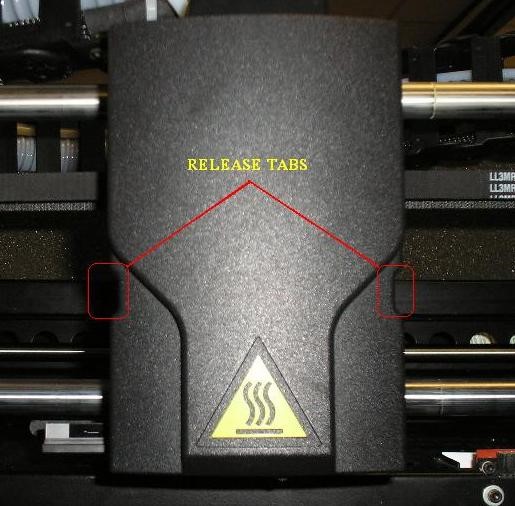
Before removing. Note that most covers are now clear and not black.
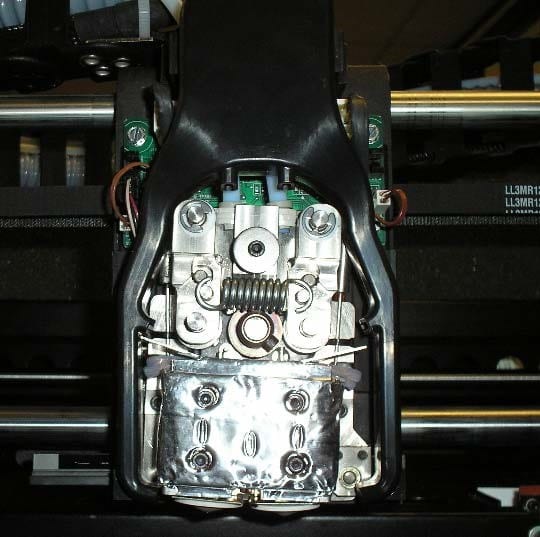
After removing the cover.
Next you will need to move the head cooling manifold out of the way.
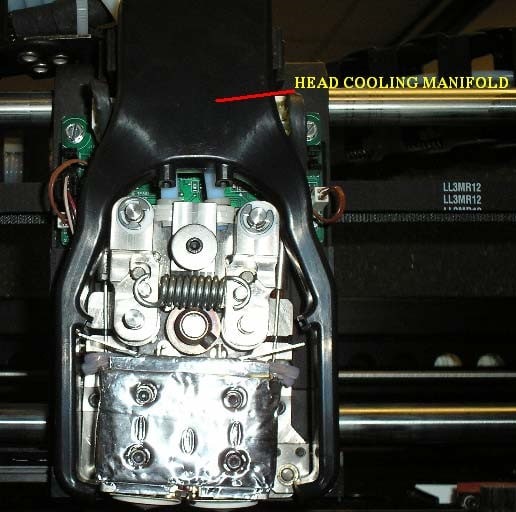
Depress the locking tabs on each side of the manifold:
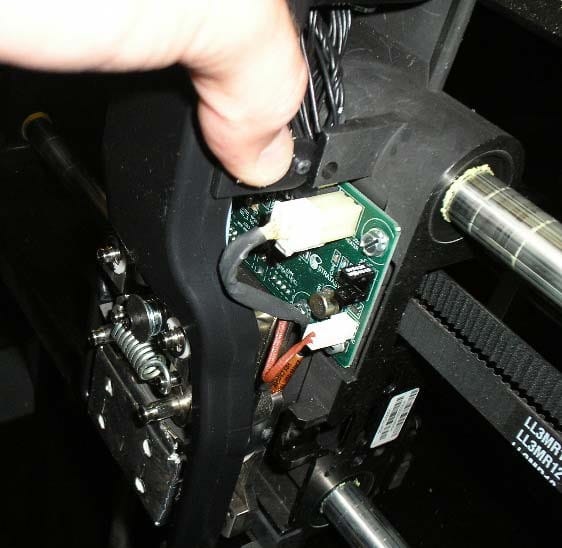
Remove the filament tube on the side where material is stuck in the head.
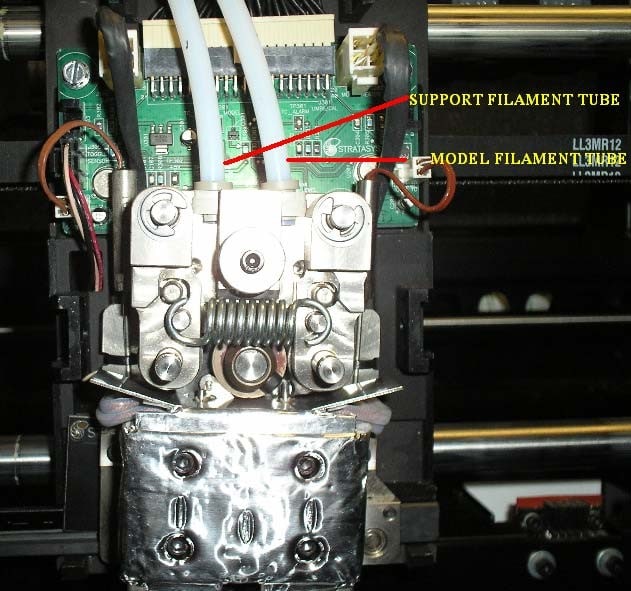
Remove by pressing down on the coupler fitting and lifting up the tube.
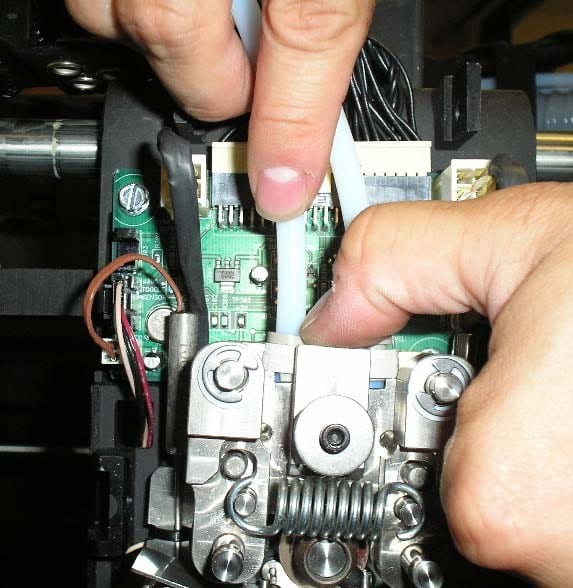
You will now have access to the filament. Press the “Forward” button on the LCD display to engage the drive gear. The gear will start to spin and attempt to extrude the material. Grab the filament that was just exposed and push down to melt the expanded tip of the filament through the print tip.
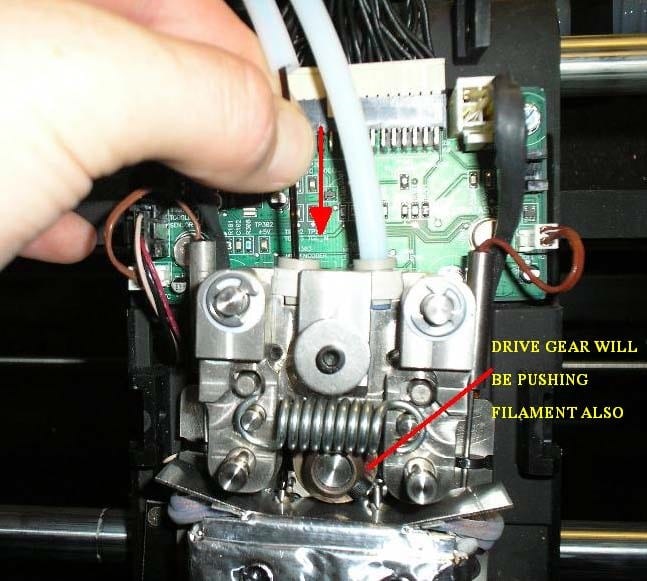
After the material extrudes a couple of inches, press “Stop” on the LCD display, then push “Reverse” and pull the filament up to remove it from the extrusion tip and head assembly. Once the filament is removed press the “Stop” button on the keypad.
Remove the filament from the filament tube by pulling out. If still attached to the cartridge, snip the filament so it is free from the cartridge first.
Reseat the filament tube into the coupler fitting, be sure to press it down into the coupler firmly so that it is fully seated in the fitting.
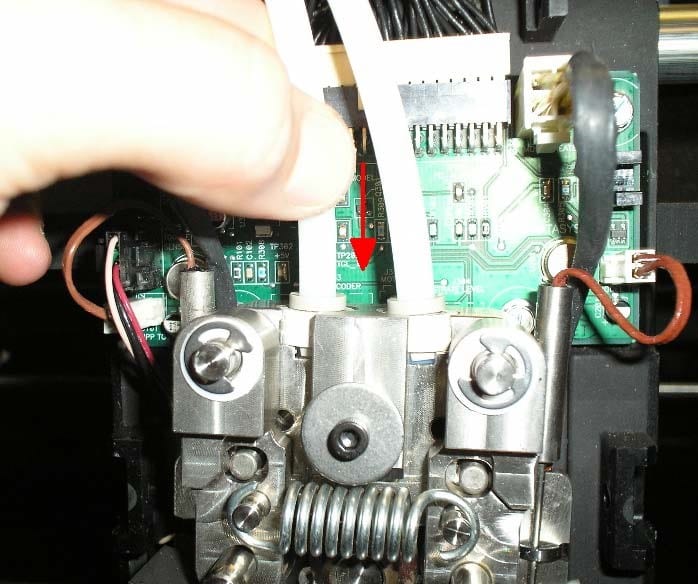
Replace the head cooling manifold by snapping the locking tabs in place. Be sure to seat the gray air hose at top of head fixture into the inlet of the cooling manifold.
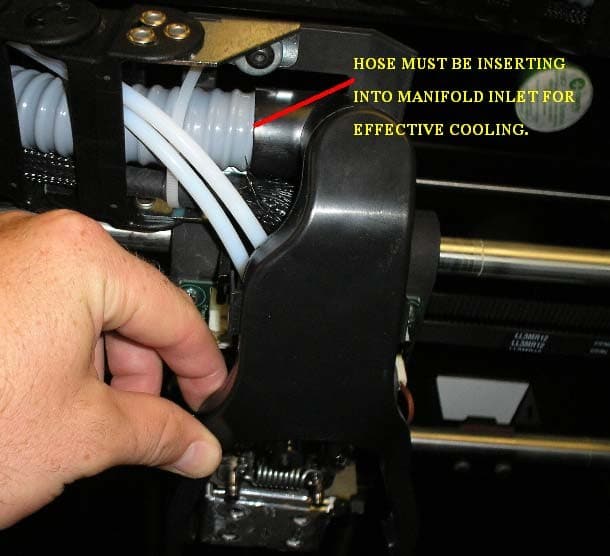
Replace the front head cover that was removed in step 3.
Press “Done” on LCD display
Display will read “Which materials are loaded?” If both materials are unloaded press both. If just one was unloaded press the option that is still loaded in the printer.
Exit the maintenance menu and now try to do the automatic load from the idle screen. Be sure to verify the material purges after loading.
Hope this gets you out of your 3D printer jam!
Kim Broderick
Field Service Engineer
Computer Aided Technology, Inc.