
 Blog
Blog SOLIDWORKS 2022 Installation Guide Part 1 – Individual Installation
Installing a new product can seem like a daunting task. With each new release of SOLIDWORKS, the process has become faster and simpler and better. At Computer Aided Technology (CATI) Technical Support, we still have many customers that ask the question, “How do I install SOLIDWORKS 2022?” In this blog article, we will cover the best practices so that you can get up and running with the least amount of down time.
If you do not want to worry about the upgrade your process yourself, we at CATI offer SOLIDWORKS Implementation Services. Built on our 20+year experience implementing CAD and engineering solutions, CATI has developed a set of proprietary implementation packages designed to help you get the most out of your investment in SOLIDWORKS.
Download SOLIDWORKS 2022 #SW2022
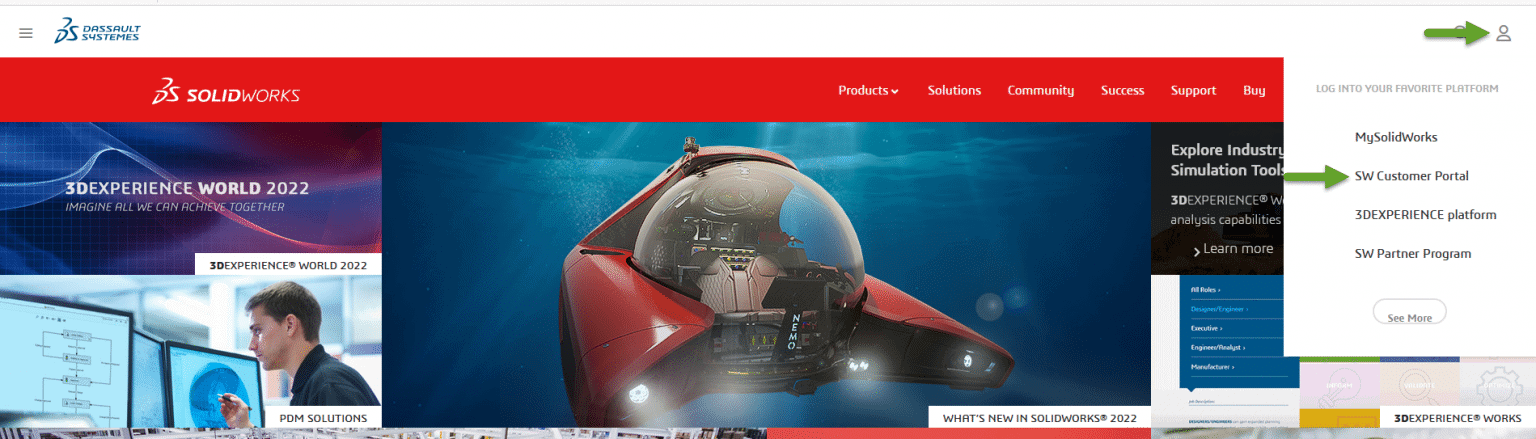
Go to www.solidworks.com. At the top right of the page is the Login icon. Click SW Customer Portal from the pull-down menu.
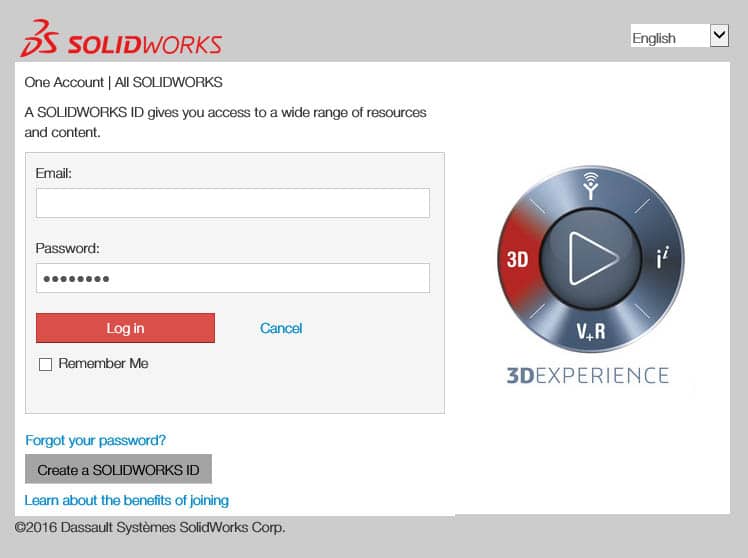
Sign into your account using your email address and password. If you do not have an account, click the Create a SOLIDWORKS ID button.
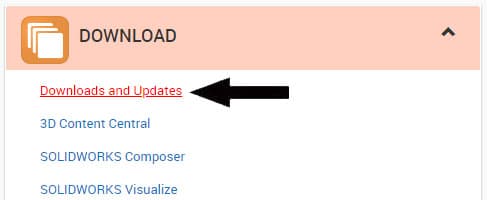
Once you are logged in, click on Downloads and Updates under the Download section.
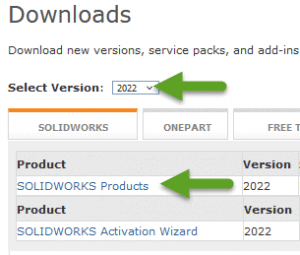
On the Downloads page, make sure that 2022 is the Selected Version. Then, click on the SOLIDWORKS Products link.
Note: The SOLIDWORKS Media zip files are a convenient way to download the full contents of the DVD’s if you have multiple installations to do and want to just download the files once. For the installation guide, we will not be using the Media files. If you would like to use them, simply download ‘SOLIDWORKS Media (1 of 2)’ and ‘SOLIDWORKS Media (2 of 2)’ and extract both zips to the same folder. Click Yes to overwrite duplicate files when prompted. Save the combined folder to local disk, external drive, or network drive. Run setup.exe from the combined folder to start the installation when needed.
After clicking on the SOLIDWORKS Products link, read the SOLIDWORKS Download End User License Agreement and then click the Accept Agreement & Continue button.
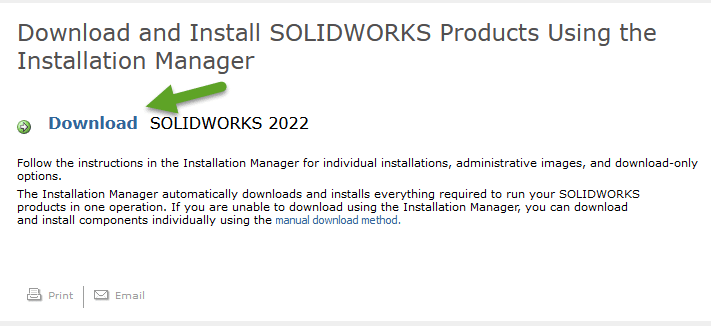
On the Download and Install page, click Download.
Install SOLIDWORKS 2022 #SW022
In Windows Explorer, browse to the downloaded SolidWorksSetup.exe file. To run the file, I prefer to right click on the file in Windows Explorer and select Run as administrator. This makes sure that Windows has full permissions to change any file it needs to. If you double click on the file, it may work just fine, but a lot of installation failures are due to lack of proper permissions. The file is a self-extracting zip file. So, when prompted, choose a location and Unzip the file.
This will launch the SOLIDWORKS Installation Manager. Note: SOLIDWORKS recommends that you restart your system before beginning a SOLIDWORKS installation. You will be prompted if a pending reboot is detected. This dialog box shows up even after a reboot at time. If it does, just click OK to continue the installation.
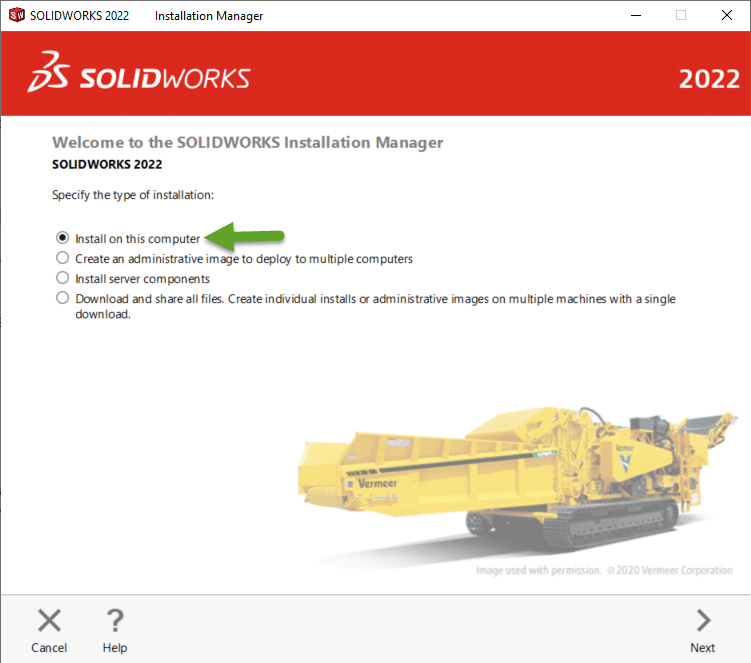
For an individual installation, keep Install on this computer selected, and click Next.
Note: There is an option to Download and Share all files. If you have more than one seat of SOLIDWORKS to install, this is a great time saving option.
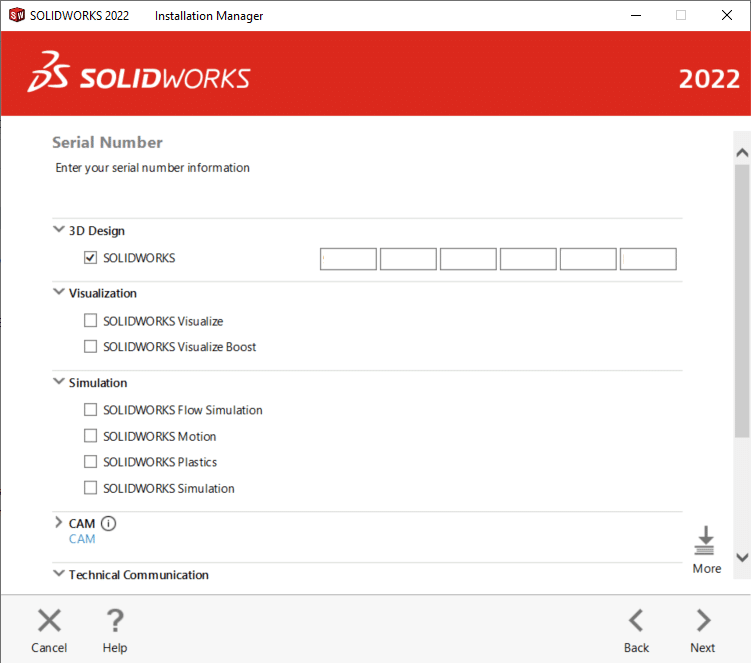
If you have had SOLIDWORKS installed before, your serial number will already be inserted. If not, type it in now. Notice that there are a few more options here if you have other serial numbers. Note: If your serial number starts 0010 or 9010, you have a network serial number. Please be sure to upgrade the license server prior to launching the SOLIDWORKS 2022 client.
Note: If you Log in with your SOLIDWORK One Account, your administrator can assign your serial number to your account from the SOLIDWORKS Admin Portal.
For this Installation Guide, manually enter in your serial number. Once your serial number(s) is entered, click Next.
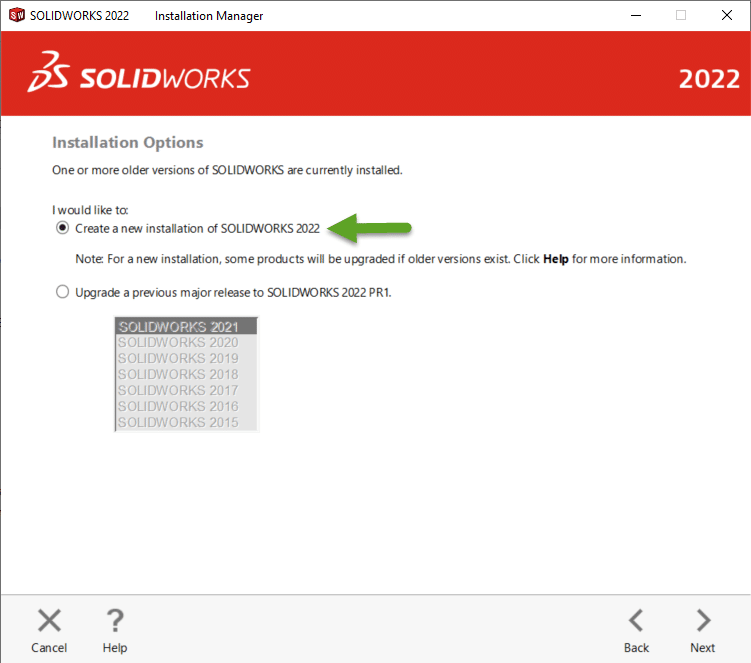
The Installation Manager first performs a system check. SOLIDWORKS is checking to see if previous versions are detected. If you receive a warning, please review the warning before continuing by clicking Next.
In the following images, we will proceed as if we are installing a new installation or next to a previous install. Select Create a new installation of SOLIDWORKS 2022 and click Next. The steps are the same for a computer that has not had SOLIDWORKS installed on it before.
The first item on the Summary page is the option to select which Products you want to install. Use the Change link to select what products you want to install.
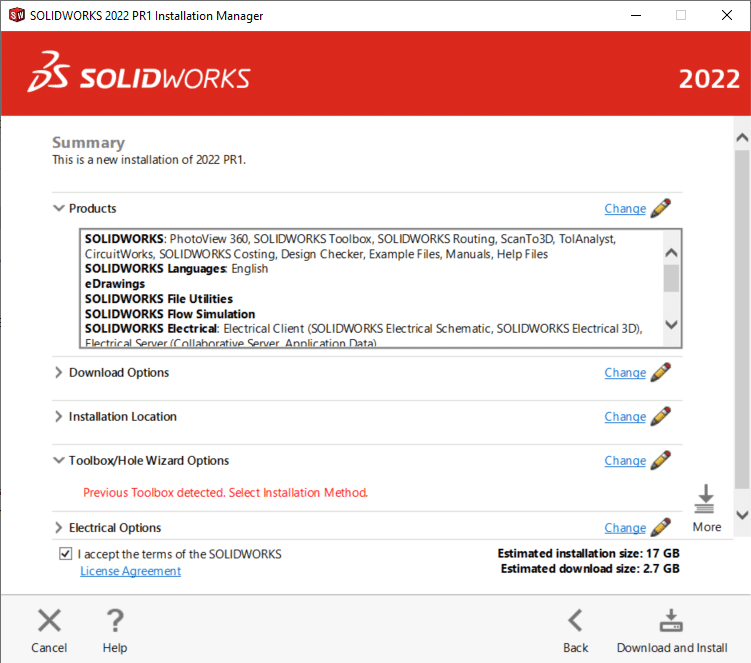
By clicking Change next to Download Options, you can choose to download and install in the same operation or download separately then install. We will just keep the default Download and install option selected.
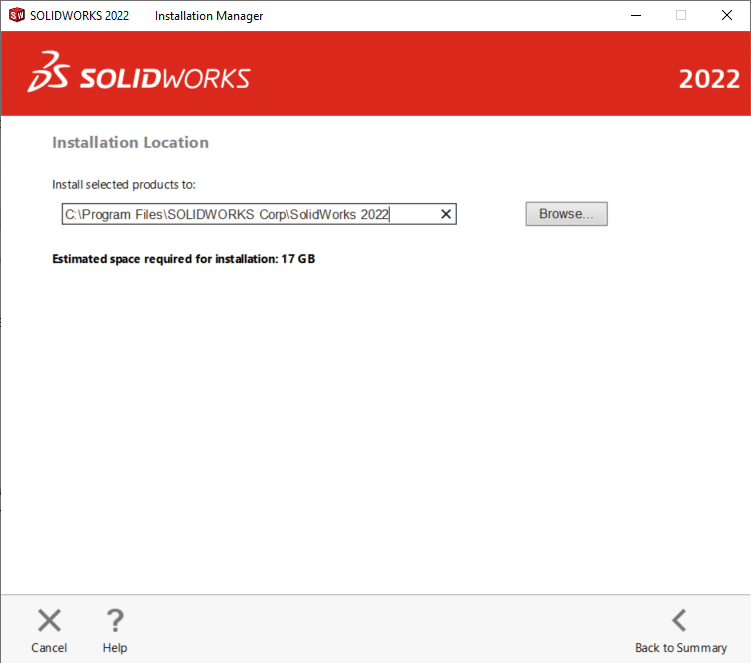
Click Change next to Installation Location. I recommend changing the Installation Location. If the Installation Manager finds a folder already created with the same name, a new folder will automatically be created. Everything will still work, but over time this can get confusing when you have SOLIDWORKS Corp (2) or SOLIDWORKS Corp (3) etc. So, I always recommend naming the folder according to the version number. To change the location, simply click next to Install selected products to and type in the new folder name, SOLIDWORKS 2022. To go back to the Summary page, click Back to Summary.
I also recommend changing the Toolbox installation location. If the Installation Manager finds a folder already created with the same name, a new folder will automatically be created. Everything will still work, but over time this can get confusing when you have SOLIDWORKS Data (2) or SOLIDWORKS Data (3) etc. So, I always recommend naming the folder according to the version number. To change the location, simply click next to Toolbox/Hole Wizard Options and type in the new folder name, SOLIDWORKS 2022 Data. To go back to the Summary page, click Back to Summary.
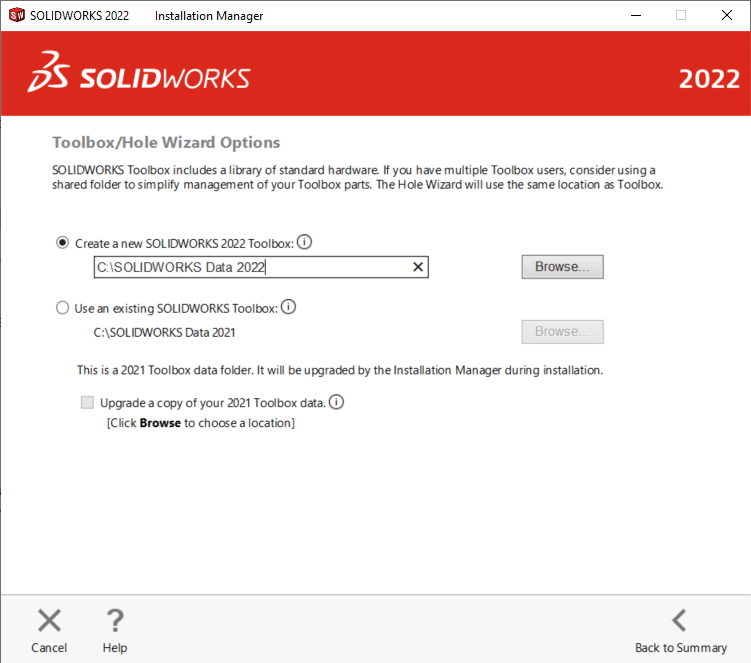
Note: If you are sharing a toolbox or upgrading an existing toolbox you should choose to Use an existing SOLIDWORKS Toolbox and not lose your custom part numbers or settings. WARNING: Make sure that all users are out of Toolbox when this is being done. PDM users will have to check out the entire toolbox. Upgraded Toolbox will not work for previous versions. Before updating Toolbox, I strongly suggest making a copy of Toolbox somewhere safe in case you need to go back for any reason.
The last step is to check I accept the terms of the SOLIDWORKS License Agreement.
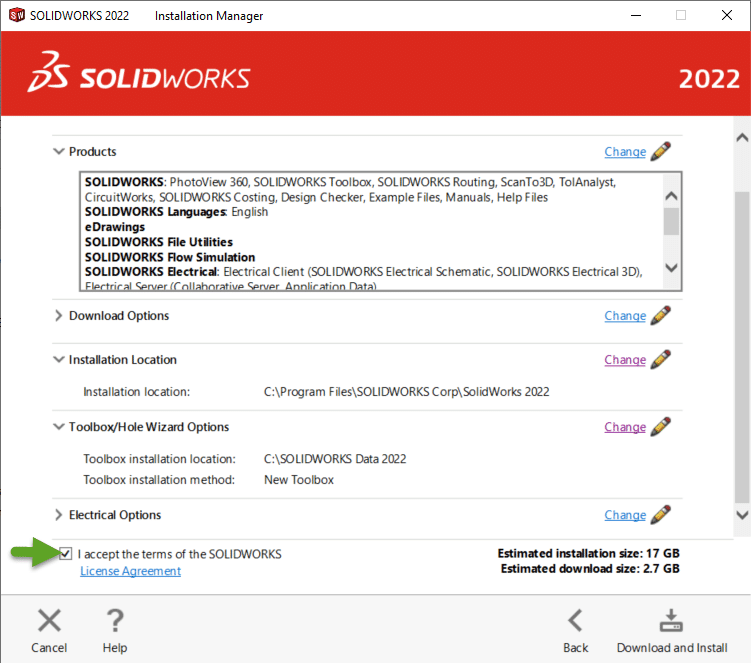
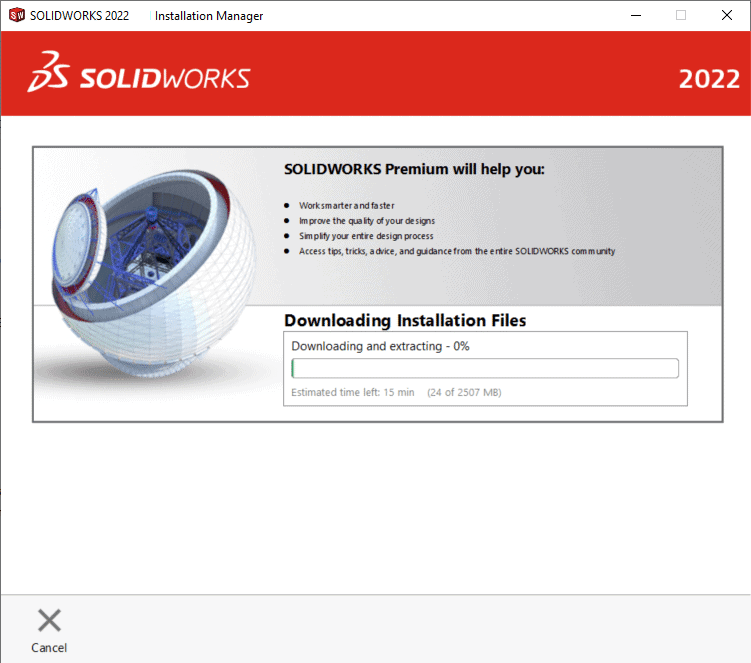
That’s it! You are now ready to click Download and Install.
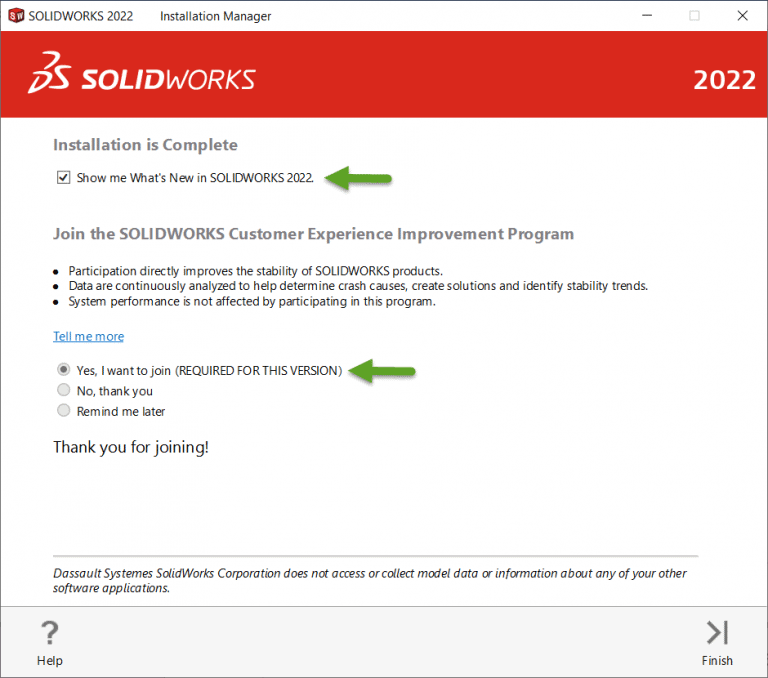
Once the install is completed, please join the SOLIDWORKS Customer Experience Improvement Program. Click Yes, I want to join and then click Finish.
NOTE: Please remember that the CAD Admin Dashboard and SOLIDWORKS tracking only works if you join the Customer Experience Improvement Program. Participating will not slow down your system! SOLIDWORKS automatically creates the performance log files in the background whether you participate or not. Please make sure to opt in!! This program helps SOLIDWORKS improve product quality and determine product usage trends.
John Van Engen
Support Manager West
Computer Aided Technology